
Pristine Player Beta Testing
Pristine Streaming Beta
Help us test Pristine Streaming for Android
We are preparing the new Pristine Streaming app for Android and would like a wider group of listeners to help us test it before general release.
You do not need any technical expertise. Install the app, use it normally, listen to music, explore the catalogue, and tell us if anything behaves unexpectedly.
Download the Android beta
Download the current Pristine Streaming Android beta directly below.
Download PlayerAndroid only at present. An iPhone beta will follow separately.
How to install it
- Download the Pristine Streaming installation file to your Android phone or tablet.
- Open the downloaded .apk file.
- Android may ask you to allow your browser or Files app to install apps from this source. Tap Settings, allow permission for that app, then return. Installation will usually continue automatically. If you are not comfortable changing this one permission, this beta test may not be for you.
- When Android asks Install this app? or Update this app?, tap Install or Update.
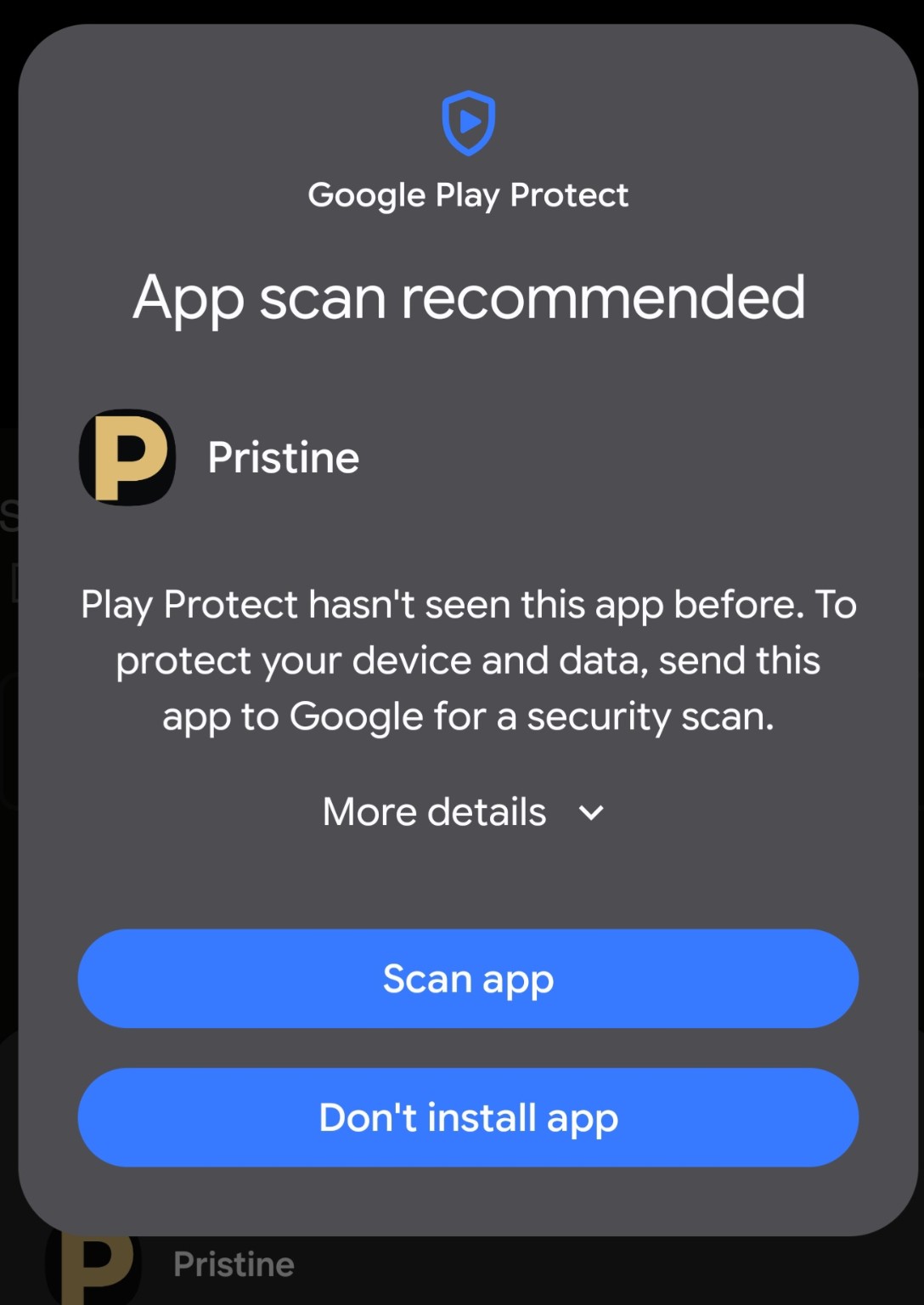
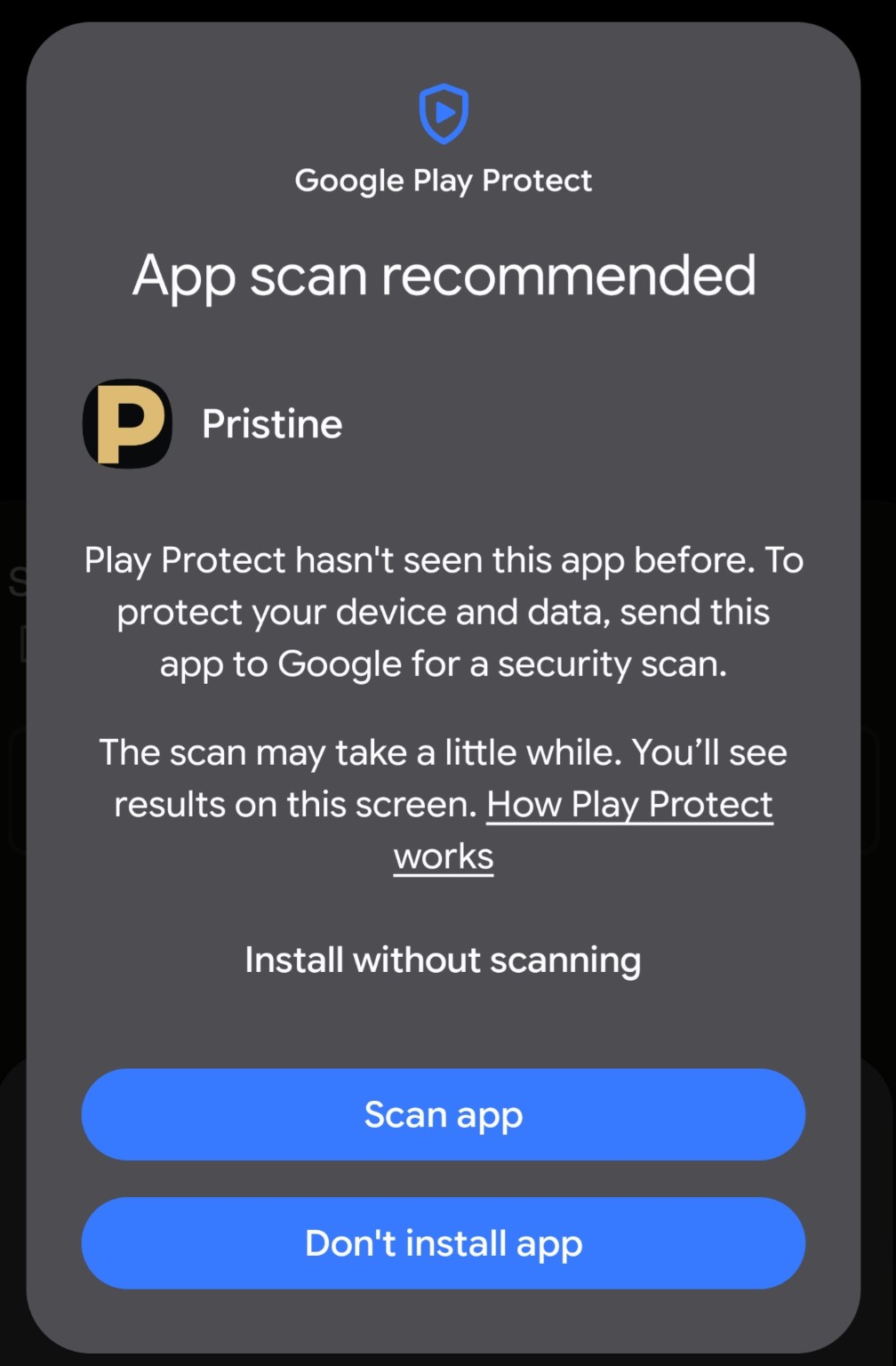
- Google Play Protect may then display App scan recommended. This is expected for a private beta installed directly from Pristine rather than through Google Play.
If you see “App scan recommended”
“Play Protect hasn't seen this app before” does not mean that Google has found anything harmful. It means this private test build has not yet been seen through the normal Google Play distribution process.
Tap More details on the screen shown below.
After expanding More details, choose Install without scanning.
Once installation has finished, open Pristine and sign in with your normal Pristine Classical account.
What should I test?
Simply use the app as you normally would. We are particularly interested in:
- installation, sign-in and staying signed in
- browsing and searching the full catalogue
- composers, artists and ensembles
- starting, stopping and resuming playback
- background playback while using another app or locking the screen
- favourites, Your Library and playlists
- catalogue refresh, including switching to another app while it refreshes
- System, Light and Dark appearance
- English, French, German, Spanish, Italian and Japanese
- shuffle and playback-order options
If something feels confusing, slow, broken or simply odd, please tell us. That is useful feedback too.
Send beta feedback
You can email us directly at pristineplayersupport@gmail.com, or use the short form below.
Streaming access
Already a Pristine Streaming subscriber? Use your normal Pristine account to sign in.
Not a subscriber? You are still welcome to help test installation and the app interface, but full playback requires Pristine Streaming access.